Here's the info on where to get it and how to install directily from the SharePoint Team Blog
Download - http://technet.microsoft.com/en-us/office/ee748587.aspx
Known Issues - http://support.microsoft.com/kb/2532126
Directions:
Install the service packs in the following order on every server in the farm.
1. Service Pack 1 for SharePoint Foundation 2010
2. Service Pack 1 for SharePoint Foundation 2010 Language Pack (if applicable)
3. Service Pack 1 for SharePoint Server 2010
4. Service Pack 1 for SharePoint Server 2010 Language Pack (if applicable)
The SharePoint 2010 Products Configuration Wizard or "psconfig –cmd upgrade –inplace b2b -wait” should be run once on every server in the farm following the final update installed.
The version of content databases will be 14.0.6029.1000 after successfully installation. For more in-depth guidance for the update process, we recommend reviewing the following articles. These articles provide a correct way to deploy updates and identify known issues (and resolutions).
It is strongly recommended to install the June 2011 Cumulative Update immediately after the installation of Service Pack 1. The June Cumulative Update includes several important security and bug fixes that are not included Service Pack 1.
Wednesday, July 6, 2011
Thursday, May 26, 2011
SharePoint 2010 Service Pack 1 Will Be Available Shortly
According to the SharePoint Team Blog Service Pack 1 for SharePoint 2010 will be available towards the end of June and it promises stability, perfomance and security enhancements the community has been asking for.
Here are the highlights of what we can expect:
Site Recycle Bin
Service Pack 1 will introduce long awaited Site Recycle Bin functionality that enables self-service recovery of site collections and sites. In the past IT Professionals were tasked with restoring entire databases to recover deleted site collections and sites and would generally require expensive restore environments to support the task. Now in Service Pack 1 administrators can quickly and easily recover site collections and sites accidentally deleted by their owners in a process similar to that of the Recycle Bin we have for Lists, Libraries, and Documents.
Shallow Copy
If you’re using Remote BLOB Storage you’ve probably realized that when moving Site Collections (Move-SPSite) between content databases each unit of unstructured data (BLOB) was round tripped (I.e. uploaded and subsequently downloaded again) serially during the move. This operation was both time consuming and resource intensive. In Service Pack 1 we reduce that overhead by enabling “shallow copy” when moving Site Collections between databases where Remote BLOB Storage is used. New Shallow Copy functionality with the Move-SPSite CmdLet enables moving site collections between content databases without moving the underlying unstructured data, i.e. Microsoft Word documents, PowerPoint Presentations, etc. significantly increasing performance and reliability for organizations using Remote BLOB Storage by simply updating the pointers to those objects in the destination content database.
StorMan.aspx
In SharePoint 2010 we removed StorMan.aspx (Storage Space Allocation) (see http://support.microsoft.com/kb/982587/EN-US) which in previous versions of SharePoint enabled granular management and insight into storage. For example, the page would show you the top 100 documents or document libraries in terms of size. With that information end users could the page to clean up content from their site(s) by deleting the large content that they no longer needed. In Service Pack 1 we are bringing back an improved StorMan.aspx, enabling users to better understand where their quota is going and act upon that information to reduce the size of their sites.
New enhancements will improve the way you interact with information in SharePoint 2010. Service Pack 1 adds support for working with SharePoint and the Office Web Applications using Internet Explorer 9 and the Google Chrome browser (for a complete list of supported browsers for SharePoint 2010 see also http://technet.microsoft.com/en-us/library/cc263526.aspx), support for Open Document Format documents, and more.
There are also some unconfirmed reports of improvements to backup and restore, better Project/SharePoint integration and support for Google Chrome.
To read the official announcement click here and to be notified of updates sign up for the RSS feed here. Joel Oleson also has some information on his excellent SharePoint blog here.
Here are the highlights of what we can expect:
Site Recycle Bin
Service Pack 1 will introduce long awaited Site Recycle Bin functionality that enables self-service recovery of site collections and sites. In the past IT Professionals were tasked with restoring entire databases to recover deleted site collections and sites and would generally require expensive restore environments to support the task. Now in Service Pack 1 administrators can quickly and easily recover site collections and sites accidentally deleted by their owners in a process similar to that of the Recycle Bin we have for Lists, Libraries, and Documents.
Shallow Copy
If you’re using Remote BLOB Storage you’ve probably realized that when moving Site Collections (Move-SPSite) between content databases each unit of unstructured data (BLOB) was round tripped (I.e. uploaded and subsequently downloaded again) serially during the move. This operation was both time consuming and resource intensive. In Service Pack 1 we reduce that overhead by enabling “shallow copy” when moving Site Collections between databases where Remote BLOB Storage is used. New Shallow Copy functionality with the Move-SPSite CmdLet enables moving site collections between content databases without moving the underlying unstructured data, i.e. Microsoft Word documents, PowerPoint Presentations, etc. significantly increasing performance and reliability for organizations using Remote BLOB Storage by simply updating the pointers to those objects in the destination content database.
StorMan.aspx
In SharePoint 2010 we removed StorMan.aspx (Storage Space Allocation) (see http://support.microsoft.com/kb/982587/EN-US) which in previous versions of SharePoint enabled granular management and insight into storage. For example, the page would show you the top 100 documents or document libraries in terms of size. With that information end users could the page to clean up content from their site(s) by deleting the large content that they no longer needed. In Service Pack 1 we are bringing back an improved StorMan.aspx, enabling users to better understand where their quota is going and act upon that information to reduce the size of their sites.
New enhancements will improve the way you interact with information in SharePoint 2010. Service Pack 1 adds support for working with SharePoint and the Office Web Applications using Internet Explorer 9 and the Google Chrome browser (for a complete list of supported browsers for SharePoint 2010 see also http://technet.microsoft.com/en-us/library/cc263526.aspx), support for Open Document Format documents, and more.
There are also some unconfirmed reports of improvements to backup and restore, better Project/SharePoint integration and support for Google Chrome.
To read the official announcement click here and to be notified of updates sign up for the RSS feed here. Joel Oleson also has some information on his excellent SharePoint blog here.
Tuesday, May 3, 2011
Error - An unhandled exception occured in the Silverlight Application
SharePoint 2010 users will come across this error eventually when they try to create a new site, list, library, etc.

Going by what the error said, we re-installed Silverlight on both the server and the client machine. No luck. After doing a Google search we learned that the error was caused by the Web Page Security Validation Web Application setting being set to Off.
To resolve the issue, follow the steps below:

That's it. Never has an error message given so little information to resolve the real problem!
Let us know if you have a similar issue.

Going by what the error said, we re-installed Silverlight on both the server and the client machine. No luck. After doing a Google search we learned that the error was caused by the Web Page Security Validation Web Application setting being set to Off.
To resolve the issue, follow the steps below:
- Login to Central Admin
- Select Application Management - Manage Web Applications.
- Select the Web Application you were having the problem with, then select General Settings from the ribbon.
- Scroll half way down the Web Application General Settings Window and turn security validation On.

That's it. Never has an error message given so little information to resolve the real problem!
Let us know if you have a similar issue.
Thursday, March 17, 2011
SharePoint 2010 December Cumulative Update
The SharePoint 2010 Foundation and SharePoint Server 2010 Cumulative updates are available from the SharePoint Update site:
http://technet.microsoft.com/en-us/sharepoint/ff800847.aspx
We're running SharePoint 2010 in a farm configuration with two web front ends, and two application servers. To properly update the environment, Microsoft recommended that we use the following procedure:
http://support.microsoft.com/kb/2459257
That should be all. Let us know if you have any issues.
http://technet.microsoft.com/en-us/sharepoint/ff800847.aspx
We're running SharePoint 2010 in a farm configuration with two web front ends, and two application servers. To properly update the environment, Microsoft recommended that we use the following procedure:
- As always, make sure you have a backup of the environment.
- Login to the servers with the same account you used to install SharePoint.
- Run the Foundation updates on all the servers in the farm and reboot.
- Run the Server updates on all the servers in the farm (presuming you have server installed). Microsoft told us running the Server updates alone might be fine, but they recommended running the Foundation updates first. Re-boot all servers after the second update is applied.
- Run the SharePoint Configuration Wizard on the server that hosts the Central Admin site.
- Run the SharePoint Configuration Wizard on the other servers.
- Note that you can also run the configuration wizard from powershell: PSConfig.exe -cmd upgrade -inplace b2b -force -cmd applicationcontent -install -cmd installfeatures
- You must restart the User Profile Synchronization service after installing this cumulative update. For more information see the Start the User Profile Synchronization service section in the Configure profile synchronization article in the library.
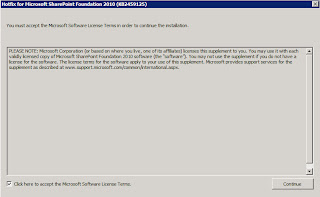


http://support.microsoft.com/kb/2459257
That should be all. Let us know if you have any issues.
Wednesday, February 23, 2011
Error Overlaying Exchange Calendars in SharePoint 2010
We recently came across an error when users tried to overlay their Exchange calendars on a SharePoint 2010 calendar. Basically, they would browse to the calendar.aspx page and select the Calendar tab in the ribbon. Next, they'd select the Calendar Overlay option and enter the OWA URL and Exchange Web Services URL.


When they hit OK and tried to view the calendar they got an error saying:
"Could not establish trust relationship for the SSL/TLS secure channel with authority"
The solution is to export the certificate you're using on your Exchange Outlook Web Access server to a .cer file and save it to somewhere you can access it from your local machine. Next, login to Central Admin and select Security - Manage trust - New
 Give it a simple name like OWA and provide the location to the certificate. Hit OK and you should no longer get the error when you add and Exchange calendar.
Here's an article with a little more explanation from Microsoft: http://support.microsoft.com/kb/982982


When they hit OK and tried to view the calendar they got an error saying:
"Could not establish trust relationship for the SSL/TLS secure channel with authority"
The solution is to export the certificate you're using on your Exchange Outlook Web Access server to a .cer file and save it to somewhere you can access it from your local machine. Next, login to Central Admin and select Security - Manage trust - New

Here's an article with a little more explanation from Microsoft: http://support.microsoft.com/kb/982982
Thursday, December 2, 2010
SharePoint 2010 October Cumulative Updates Re-Released
Microsoft have re-released the SharePoint 2010 October Cumulative Updates after fixing the issues I discussesd in my previous post (http://imperfectit.blogspot.com/2010/11/dont-install-sharepoint-2010-october.html).
You can get the updated bits here:
http://support.microsoft.com/kb/2449183
Cross your fingers and deploy! If you have problems, we'd love to hear about them.
If you want to see all updates available for the SharePoint suite, the following is a good place to start: http://technet.microsoft.com/en-us/office/ee748587.aspx
You can get the updated bits here:
http://support.microsoft.com/kb/2449183
Cross your fingers and deploy! If you have problems, we'd love to hear about them.
If you want to see all updates available for the SharePoint suite, the following is a good place to start: http://technet.microsoft.com/en-us/office/ee748587.aspx
Friday, November 12, 2010
Don't Install the SharePoint 2010 October Cumulative Update!!!
****Update: December, 2010**** The October update issues have been addressed. See http://imperfectit.blogspot.com/2010/12/sharepoint-2010-october-cumulative.html
Just when we were thinking how it had been ages since a Microsoft update had broken our servers there are widespread reports of the October cumulative update wreaking havoc (User Profile Application in particular). Read the following from the SharePoint Team Blog to learn more:
http://blogs.msdn.com/b/sharepoint/archive/2010/11/06/details-and-workaround.aspx
We recommend installing http://support.microsoft.com/kb/2266423 followed by http://support.microsoft.com/kb/2352342 for now. As always, be sure to apply regular server OS security updates through Windows Update.
Just when we were thinking how it had been ages since a Microsoft update had broken our servers there are widespread reports of the October cumulative update wreaking havoc (User Profile Application in particular). Read the following from the SharePoint Team Blog to learn more:
http://blogs.msdn.com/b/sharepoint/archive/2010/11/06/details-and-workaround.aspx
We recommend installing http://support.microsoft.com/kb/2266423 followed by http://support.microsoft.com/kb/2352342 for now. As always, be sure to apply regular server OS security updates through Windows Update.
Thursday, September 23, 2010
SharePoint 2010 Network Load Balancing
In an effort to make my web front end severs a little more redundant, I introduced Windows Server 2008 R2 Network Load Balancing to my environment. After configuring the environment as per Microsoft documentation, I was not able to connect to the virtual IP I'd setup for my test site collection. After banging my head against the wall and rebuilding the servers a couple of times, I opened a ticket with Microsoft.
It turns out that you can't use NLB in the recommended unicast configuration if your cluster nodes are on two separate VMWare ESX hosts as per this article: http://kb.vmware.com/selfservice/microsites/search.do?cmd=displayKC&docType=kc&externalId=1556&sliceId=1&docTypeID=DT_KB_1_1&dialogID=26310418&stateId=0 0 26304946
To learn more about the potential problems you might encouter if you use Cisco switches, have a look at the following:
http://www.cisco.com/en/US/products/hw/switches/ps708/products_configuration_example09186a0080a07203.shtml
And from Microsoft:
http://technet.microsoft.com/en-us/library/cc781305(WS.10).aspx
In the end, I reconfigured the NLB nodes to use Multicast mode and then utilized the Cisco documentation to create a static entry for the MAC of the NLB cluster virtual IP at the local gateway.
It turns out that you can't use NLB in the recommended unicast configuration if your cluster nodes are on two separate VMWare ESX hosts as per this article: http://kb.vmware.com/selfservice/microsites/search.do?cmd=displayKC&docType=kc&externalId=1556&sliceId=1&docTypeID=DT_KB_1_1&dialogID=26310418&stateId=0 0 26304946
To learn more about the potential problems you might encouter if you use Cisco switches, have a look at the following:
http://www.cisco.com/en/US/products/hw/switches/ps708/products_configuration_example09186a0080a07203.shtml
And from Microsoft:
http://technet.microsoft.com/en-us/library/cc781305(WS.10).aspx
In the end, I reconfigured the NLB nodes to use Multicast mode and then utilized the Cisco documentation to create a static entry for the MAC of the NLB cluster virtual IP at the local gateway.
Tuesday, September 21, 2010
DocAve Version 5 for SharePoint 2010
Up until recently I've been running my backups using the built in backup and recover tool and Powershell (see http://imperfectit.blogspot.com/2010/03/automate-sharepoint-2010-farm-backups.html), but my environment has started to grow and become more complex. That, and it's larger than the recommended 150 GB limit "suggested" by Microsoft. As a result I had to find a more robust data protection solution. After much testing I went with AvePoint's DocAve v5.
DocAve Backup and Recovery for SharePoint 2010 offers two types of backup and recovery: Granular and Platform
Granular Content and Data Protection
• Supports SharePoint 2010, Microsoft Office SharePoint Server (MOSS) 2007 and Windows SharePoint Services 3.0 environments (via DocAve v5), and SharePoint Portal Server 2003 and Windows SharePoint Services 2.0 (via DocAve 4.5). Support for SharePoint 2001 is available – please contact an AvePoint representative).
• Full fidelity backup and restore of all lists, libraries and items (including Events, Links, Tasks, Contacts, Announcements, Discussion Boards, Surveys, Issues, Custom Lists, Areas, Sub Areas, Portal Links, Workflow Definitions, Layout Templates, and Site Definitions, along with access permissions, metadata and version histories)
• Backs up and restores SharePoint workflow definitions
• Full fidelity item-level restore from DocAve, SQL native backups created by T-SQL script or a maintenance plan, DPM, IBM-TSM, HP Data Protector, as well as third-party embedded SQL backup engines, including HyperBac and LiteSpeed Engine
• Granular, item-level restore with sliding timeline view, along with full text keyword search and identification criteria mask search
• Restore content to different SharePoint instances or locations, including file systems and networked file shares with DocAve's "out-of-place restore" functionality
• Manual and Automated Data Pruning feature helps manage historic SharePoint backup data and improve access speed to more recent backups
• Data Coalescing feature allows collapsing incremental backups into one backup data set for easy retrieval.
• Item-level "out-of-place restore" for complete hardware failure
• Fast granular backup speeds, up to 60GB/hour
Comprehensive Platform Protection
• Backup and recover entire SharePoint farms or selective components including all servers and back-end SQL databases with all configurations, Index/Job servers, as well as front-end IIS settings and file system resources
• Quickly and selectively restore individual or a combination of farm components (content databases, web applications, SSP, etc.)
• Safeguard front-end web server resources (IIS settings, Template files, user selected resources, local file systems, etc.)
• Backup InfoPath form templates, Project Server content and Site Definitions
• Support for SharePoint Features
• Up-to-the-minute restore using SQL logs restoration
• Leverages Volume Shadow Copy Service (VSS) to ensure consistent point-in-time backups
• Fast platform backup speeds, up to 100 GB/hour
• Efficient data streaming via open standards, including VDI and VSS without staging location requirements
If you've worked with this product or others, I'd be interested to hear your opinions.
Thanks!
DocAve Backup and Recovery for SharePoint 2010 offers two types of backup and recovery: Granular and Platform
Granular Content and Data Protection
• Supports SharePoint 2010, Microsoft Office SharePoint Server (MOSS) 2007 and Windows SharePoint Services 3.0 environments (via DocAve v5), and SharePoint Portal Server 2003 and Windows SharePoint Services 2.0 (via DocAve 4.5). Support for SharePoint 2001 is available – please contact an AvePoint representative).
• Full fidelity backup and restore of all lists, libraries and items (including Events, Links, Tasks, Contacts, Announcements, Discussion Boards, Surveys, Issues, Custom Lists, Areas, Sub Areas, Portal Links, Workflow Definitions, Layout Templates, and Site Definitions, along with access permissions, metadata and version histories)
• Backs up and restores SharePoint workflow definitions
• Full fidelity item-level restore from DocAve, SQL native backups created by T-SQL script or a maintenance plan, DPM, IBM-TSM, HP Data Protector, as well as third-party embedded SQL backup engines, including HyperBac and LiteSpeed Engine
• Granular, item-level restore with sliding timeline view, along with full text keyword search and identification criteria mask search
• Restore content to different SharePoint instances or locations, including file systems and networked file shares with DocAve's "out-of-place restore" functionality
• Manual and Automated Data Pruning feature helps manage historic SharePoint backup data and improve access speed to more recent backups
• Data Coalescing feature allows collapsing incremental backups into one backup data set for easy retrieval.
• Item-level "out-of-place restore" for complete hardware failure
• Fast granular backup speeds, up to 60GB/hour
Comprehensive Platform Protection
• Backup and recover entire SharePoint farms or selective components including all servers and back-end SQL databases with all configurations, Index/Job servers, as well as front-end IIS settings and file system resources
• Quickly and selectively restore individual or a combination of farm components (content databases, web applications, SSP, etc.)
• Safeguard front-end web server resources (IIS settings, Template files, user selected resources, local file systems, etc.)
• Backup InfoPath form templates, Project Server content and Site Definitions
• Support for SharePoint Features
• Up-to-the-minute restore using SQL logs restoration
• Leverages Volume Shadow Copy Service (VSS) to ensure consistent point-in-time backups
• Fast platform backup speeds, up to 100 GB/hour
• Efficient data streaming via open standards, including VDI and VSS without staging location requirements
If you've worked with this product or others, I'd be interested to hear your opinions.
Thanks!
SharePoint 2010 Anitvirus Exclusions
I recently updated the local antivirus on my SharePoint 2010 server and noticed users were getting "access denied" errors when trying to upload documents. Turns out I had forgotten to update the folders my antivirus solution should ignore.
A quick search turned up this: http://support.microsoft.com/kb/952167
Basically go to the drive you installed SharePoint 2010 on (D: drive in my case) and exclude the following:
Drive:\Program Files\Microsoft Office Servers\14.0\Data
Drive:\Program Files\Microsoft Office Servers\14.0\Logs
Drive:\Program Files\Microsoft Office Servers\14.0\Bin
The above folders handle indexing for your farm.
A quick search turned up this: http://support.microsoft.com/kb/952167
Basically go to the drive you installed SharePoint 2010 on (D: drive in my case) and exclude the following:
Drive:\Program Files\Microsoft Office Servers\14.0\Data
Drive:\Program Files\Microsoft Office Servers\14.0\Logs
Drive:\Program Files\Microsoft Office Servers\14.0\Bin
The above folders handle indexing for your farm.
Subscribe to:
Posts (Atom)